
x

By Mariana Hagström
Avokaado Founder & CEO

Choosing the right contract management software can be overwhelming. There are countless options, from simple online e-signing tools to expensive enterprise implementations. It is difficult to weigh the differences and determine which one meets your needs.
The penalty for inaction can be high.
On average, organizations lose 9.2% of annual revenue due to poor contract management, such as failing to renew contracts or failing to address non-compliant contracts.
In 2026, it is not just about signing and uploading documents to a cloud server. The real issue is the legal chaos that results from treating contracts as static, unsearchable files. If you cannot quickly query and retrieve your contracts for critical data, you are not managing risk. You are simply accumulating digital paper.
This guide explains what contract management software is, the key features to look for, and the benefits it offers. Then we will rank the nine best contract management software solutions for 2026 based on two key architectures: Data-First (Modern) and Document-First (Legacy). This distinction is the hidden key to unlocking contract intelligence and moving beyond simple filing cabinets.
Contract Lifecycle Management (CLM) software is a centralized platform that automates and streamlines every step of a contract's life cycle, from creation through negotiation, review, approval, execution, storage, analysis, and renewal. Rather than using Word, email, shared drives, or more complicated systems, a CLM provides a single source of truth for legal, sales, HR, and procurement teams to collaborate securely.
Modern CLM software has evolved from simple storage to include artificial intelligence (AI) to support drafting, reviewing, and data extraction. This transforms contracts from static documents to dynamic, searchable assets.
Implementing a contract lifecycle management solution provides solid organizational ROI. The benefits extend beyond the organization itself.
As you vet potential solutions, consider these 10 key capabilities of a modern contract lifecycle management (CLM) solution.
The table below compares the top 9 platforms by the features that matter most to legal and operations teams today.

Avokaado is a Contract Intelligence Platform (CIP) that changes how companies handle contracts. Instead of treating contracts as static PDFs needing manual tagging and review, Avokaado's data-first architecture helps create contracts as a dynamic, queryable data asset from day one. Avokaado is ideal for legal, operations, and finance teams in regulated industries who need automated processing with control and oversight at the transaction level.
By transforming contracts into structured data, Avokaado creates a single workspace where business teams can self-serve on routine business agreements with built-in guardrails, while legal teams have full transparency at every step. This directly addresses the main challenge of modern contracting: moving from chaotic, siloed legacy documents to a centralized intelligent operating system.

1. Avo AI: Use AI-Native 5D Engine™ Playbooks to automate contracts from drafting and reviewing to renewals and destruction. These Playbooks are designed with rule-based fallback logic, clause IDs, and tone settings that follow your business rules. The AI-Native 5D Engine manages the organization, preparation, and execution of your contract work from start to finish while proactively blocking non-compliant outputs using a scorecard.
2. aDoc (Smart Document Format): More than a template, aDoc is a dynamic, clause-based format and the foundation of every contract automation you build. aDoc links your document content, tracked variables, and workflows, so each contract is pre-approved, standardized, and compliant by design, eliminating rogue edits and manual errors.
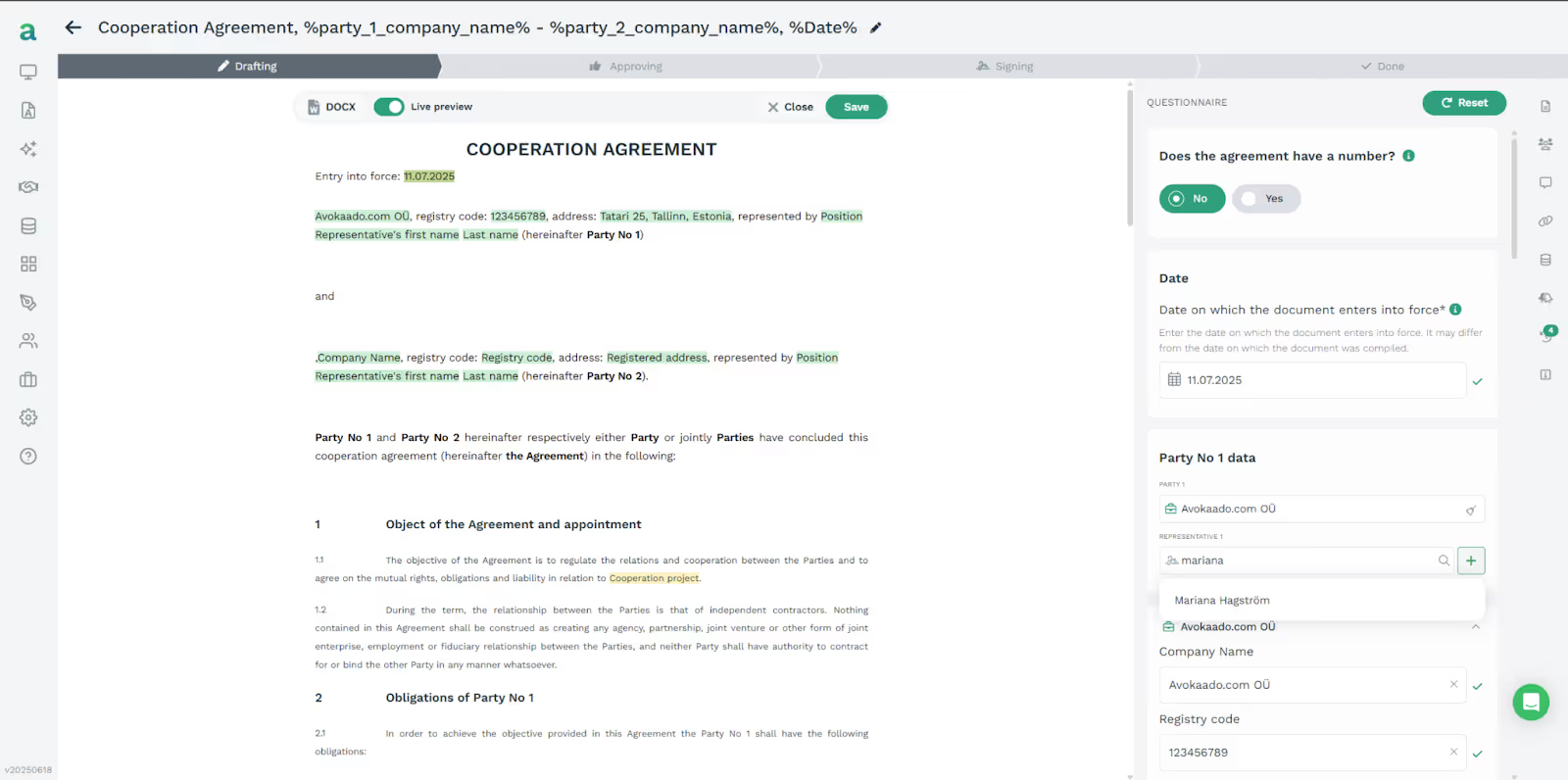
2. Data Registry: The brain of the contract portfolio. All necessary metadata, including dates, values, parties, and obligations, is tracked in the Data Registry outside the document. This makes your contract data searchable, filterable, and reportable in real time, without manual data entry.
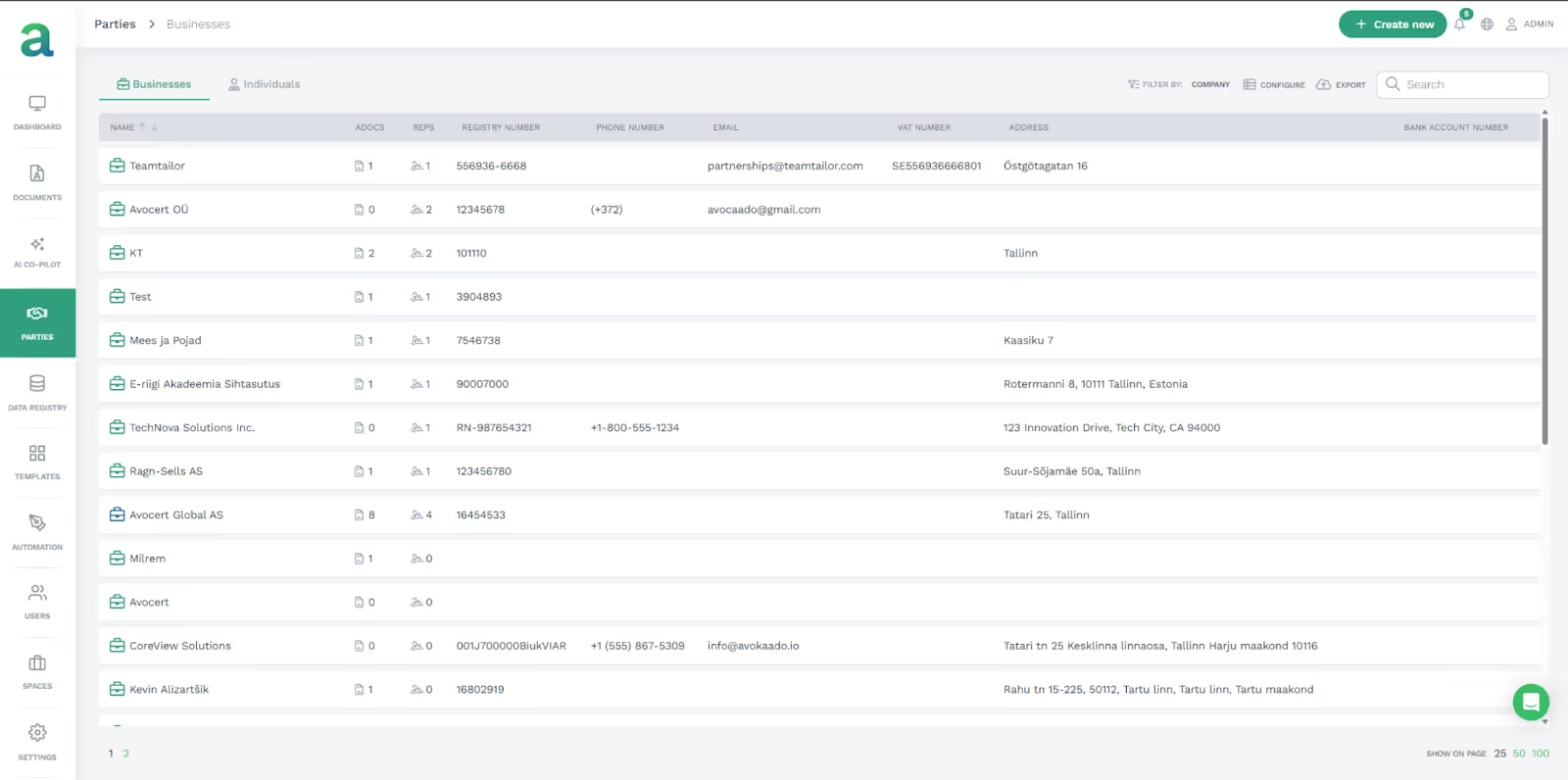
3. Parties Registry: Your single source of truth for every counterparty. The system automatically tracks every vendor, customer, and employee, linking all contact details and the history of every agreement signed by each counterparty. This eliminates your data burden and provides a complete view of the relationship between parties.
4. Compliance Center: Handy for teams in heavily regulated industries like BFSI and Telecom, compliance checkers and audit logs can be automated and run in the background as a safety net to prevent non-compliant contracts from being sent for signature.
5. Dynamic Approval Workflows: Simple linear approvals used to be enough, but with Avokaado's no-code workflow builder, you can create robust approvals with queue-based routing that automatically sends contracts to the right stakeholders based on value, risk level, region, or any listed variable.
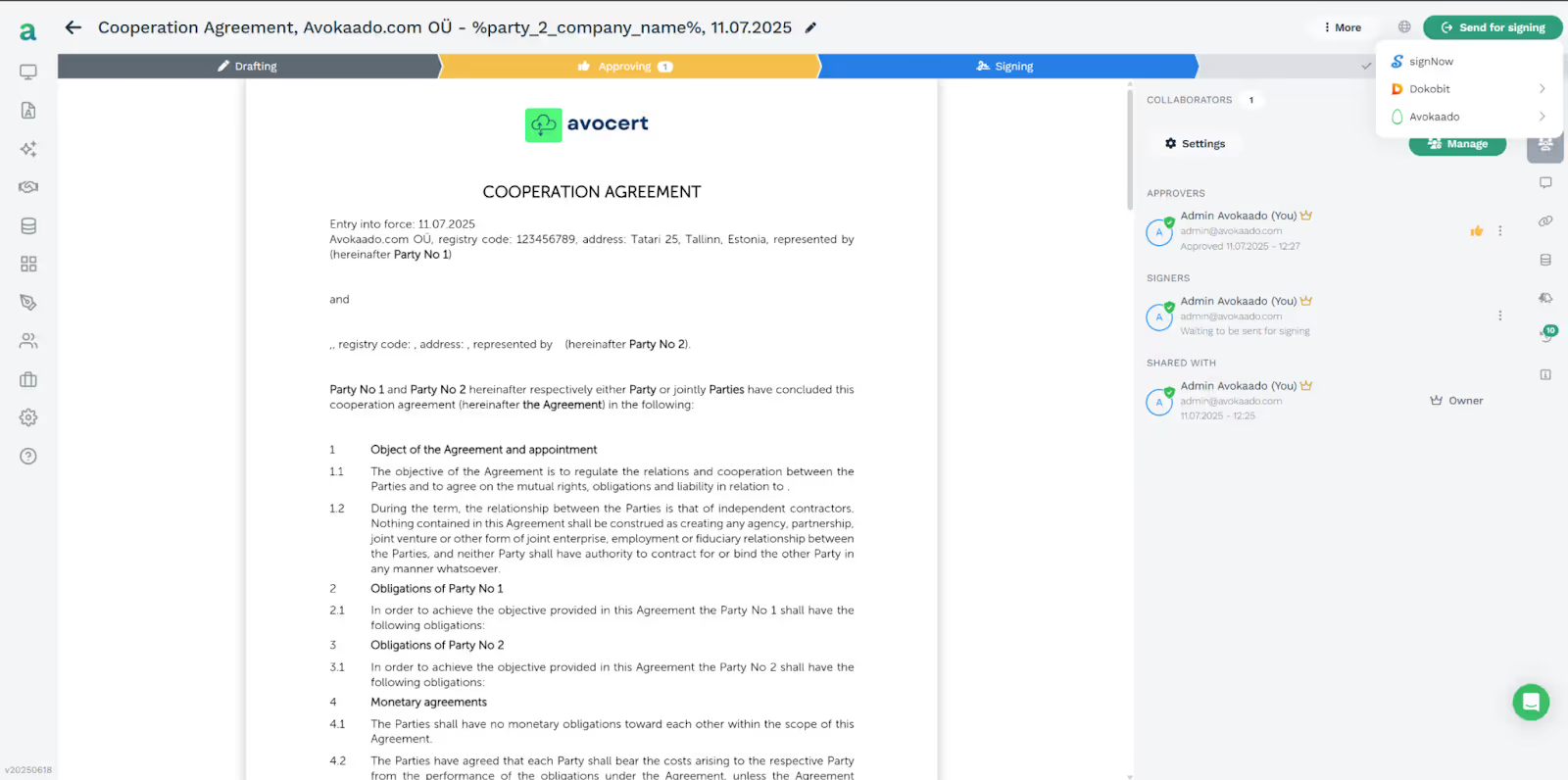
6. Integrated E-Signature: Avokaado has legally binding e-signatures, including advanced and qualified signatures in the EU, already built into the system as a one-stop shop. This eliminates the need for a separate, costly DocuSign license and covers the whole lifecycle in a single step. Avokaado also offers batch signing for up to 100 documents at once.
7. Collaborative Workspace: Negotiate, counteroffer, and generate contracts collaboratively in real time without leaving the platform. As a browser-native editor, Avokaado supports internal documenting, external guest access for counterparties, and strict version control to create an ideal audit trail for every change.

Avokaado uses modular pricing. You choose your plan based on how many contracts you handle and any add-ons your team needs, like API access or SSO. You only pay for what you use. This approach works well for both mid-sized teams and large companies and scales as your needs grow.
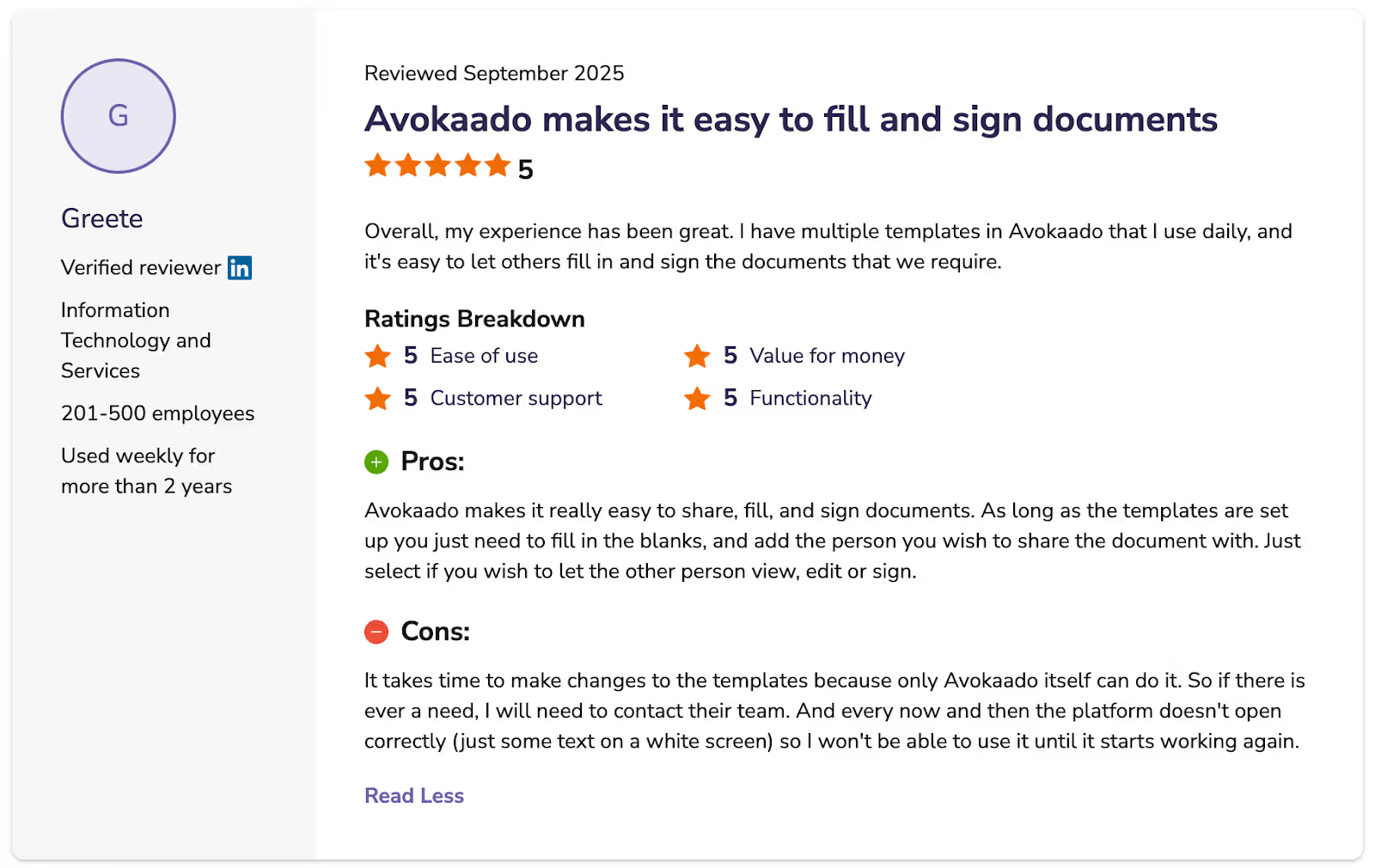
Avokaado is a good fit for Legal and Operations teams in highly regulated industries such as Fintech, Telecom, and Banking, where there are many contracts to manage and enforcing compliance is critical. It also suits growing companies that want to set up a solid contract management process before things get complicated.
Ironclad is a workflow tool designed for large organizations. It handles complex approval processes with many stakeholders and connects closely with Salesforce. It is mainly used by large legal departments that need to manage contracts for many users.
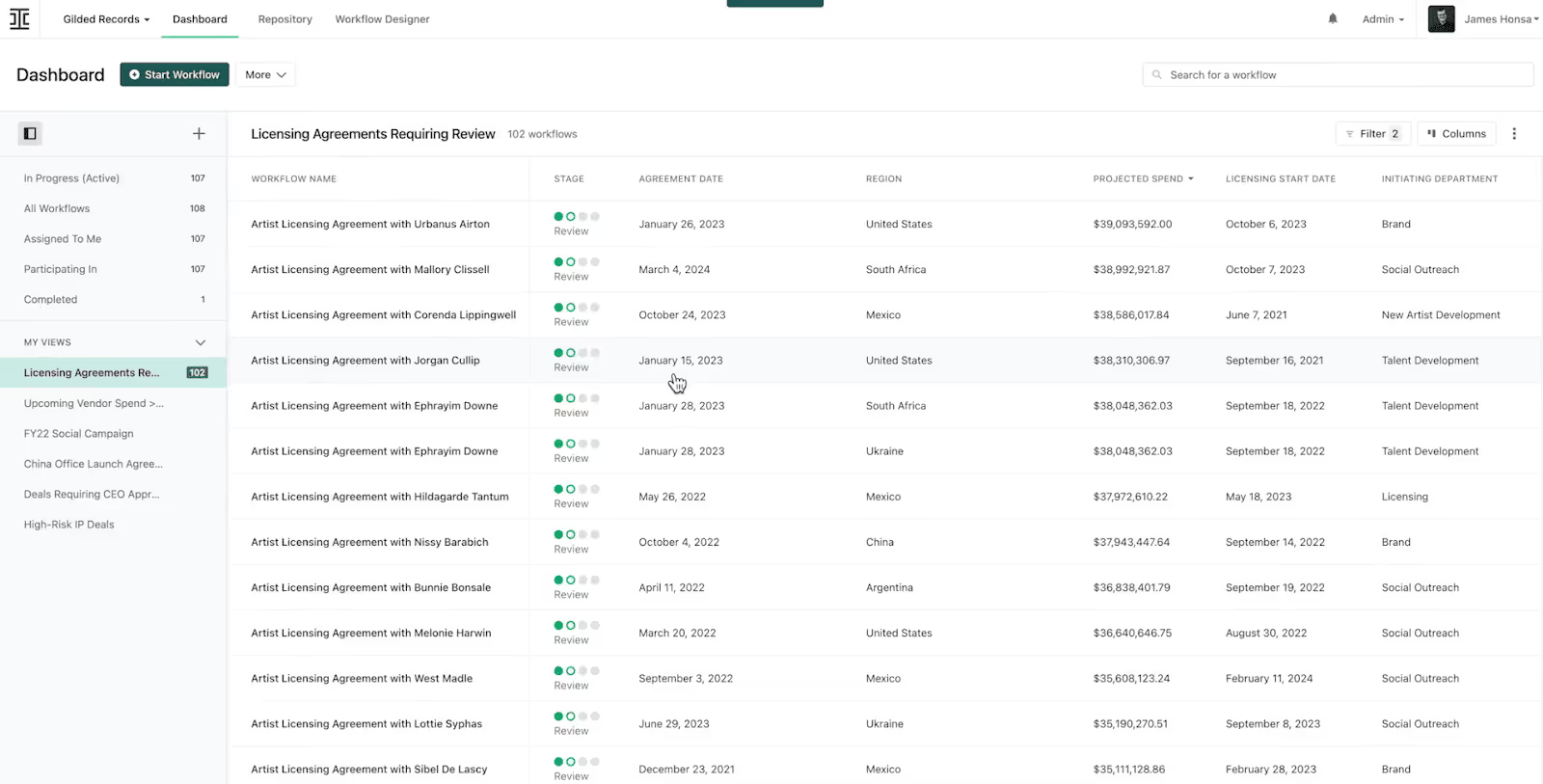
Ironclad offers highly customizable contract management workflows, which is great for organizations with complex needs. There is a learning curve for administrators when setting up workflows, but it pays off in flexibility. The deep Salesforce integration is a big plus for sales operations teams.
On the downside, the starting price is high, so it’s not really aimed at mid-market teams. Ironclad has a strong reputation and community, but be prepared for a longer implementation timeline, usually between three and six months.
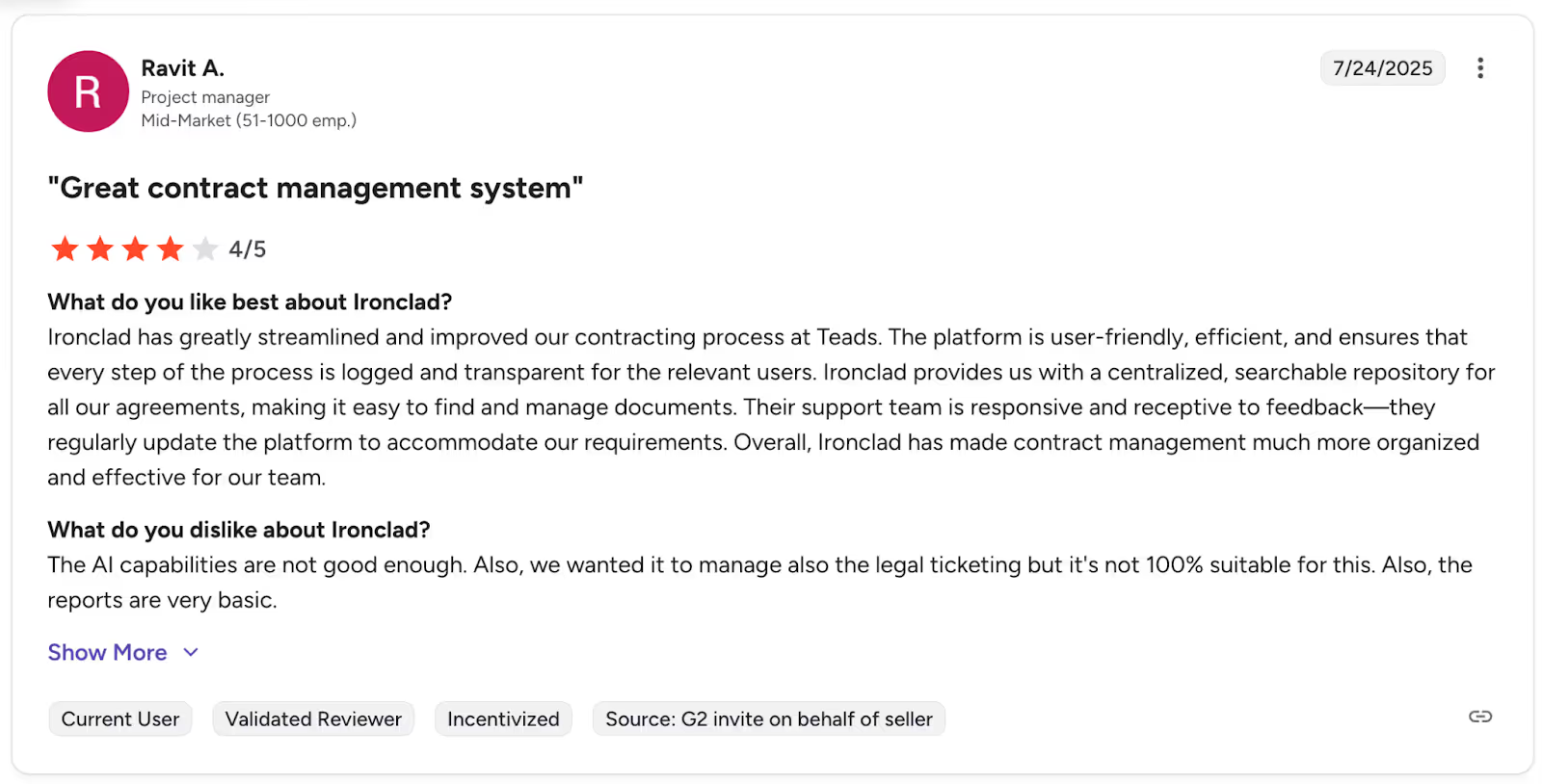
Ironclad is best for large legal teams at Fortune 500 companies. It works well for groups with complex workflows, a large budget, and staff dedicated to managing the system.
Juro is fully browser-native and removes MS Word from the process, encouraging a collaborative editing experience like Google Docs for combined sales and HR teams. Its flexible interface allows drafting, signing, and storage in one place.
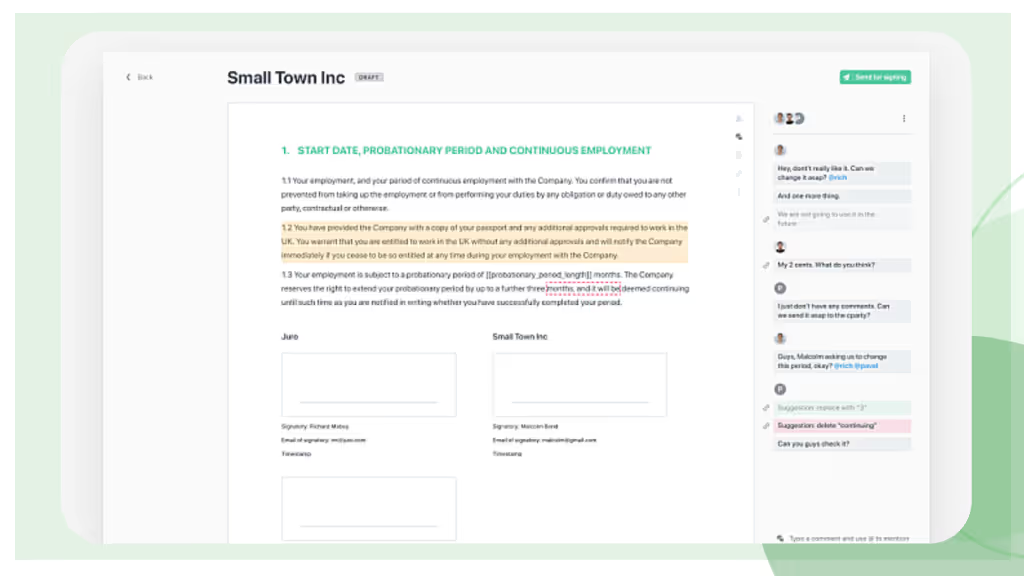
Juro offers an excellent UI/UX for non-lawyers and enables significantly faster deployment than traditional enterprise CLM solutions. It is highly effective for collaborative editing, especially for those seeking to move away from Word.
However, it does not provide deep clause-level governance for regulated industries; its contract reporting features are basic for advanced needs; and importing complex legacy Word documents can pose formatting challenges.
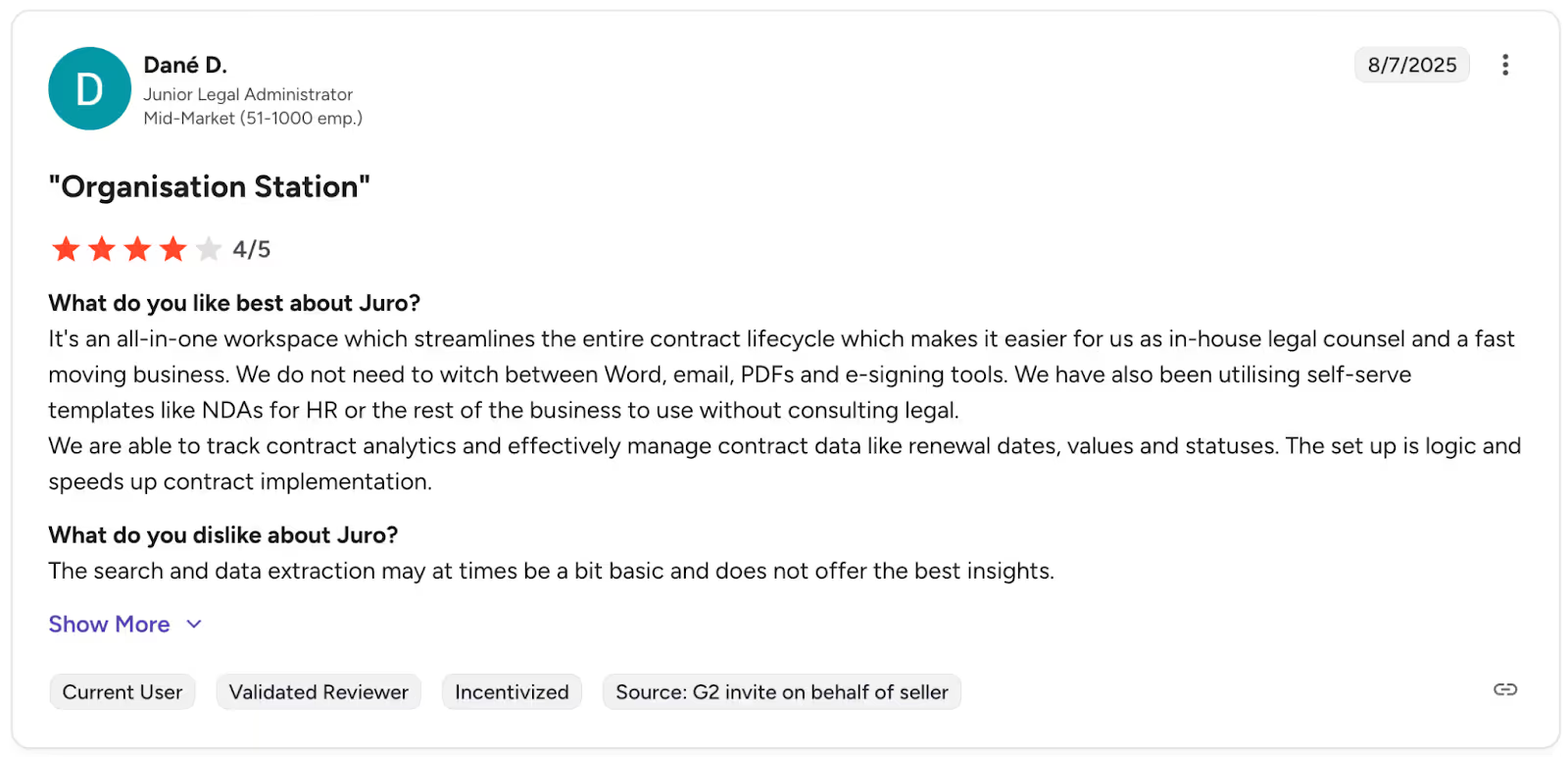
High-transaction Sales and HR teams at scale-ups that value speed and user experience over complex compliance governance.
Conga CLM (formerly Apttus) is a robust solution often adopted by large enterprises that require deep integration of their contracts with Revenue (CPQ) and billing data. It is built to withstand extreme complexity and volume and is primarily adopted by sales-led organizations that use Salesforce as their source of truth.

Can handle extreme complexity and contract hierarchies. The cost of ownership is high, and there is a deep tie-in with revenue and CPQ data for visibility. The old school interface can make navigation challenging. Enterprise-grade security and scalability. Requires skilled admins or consultants to deploy and maintain.
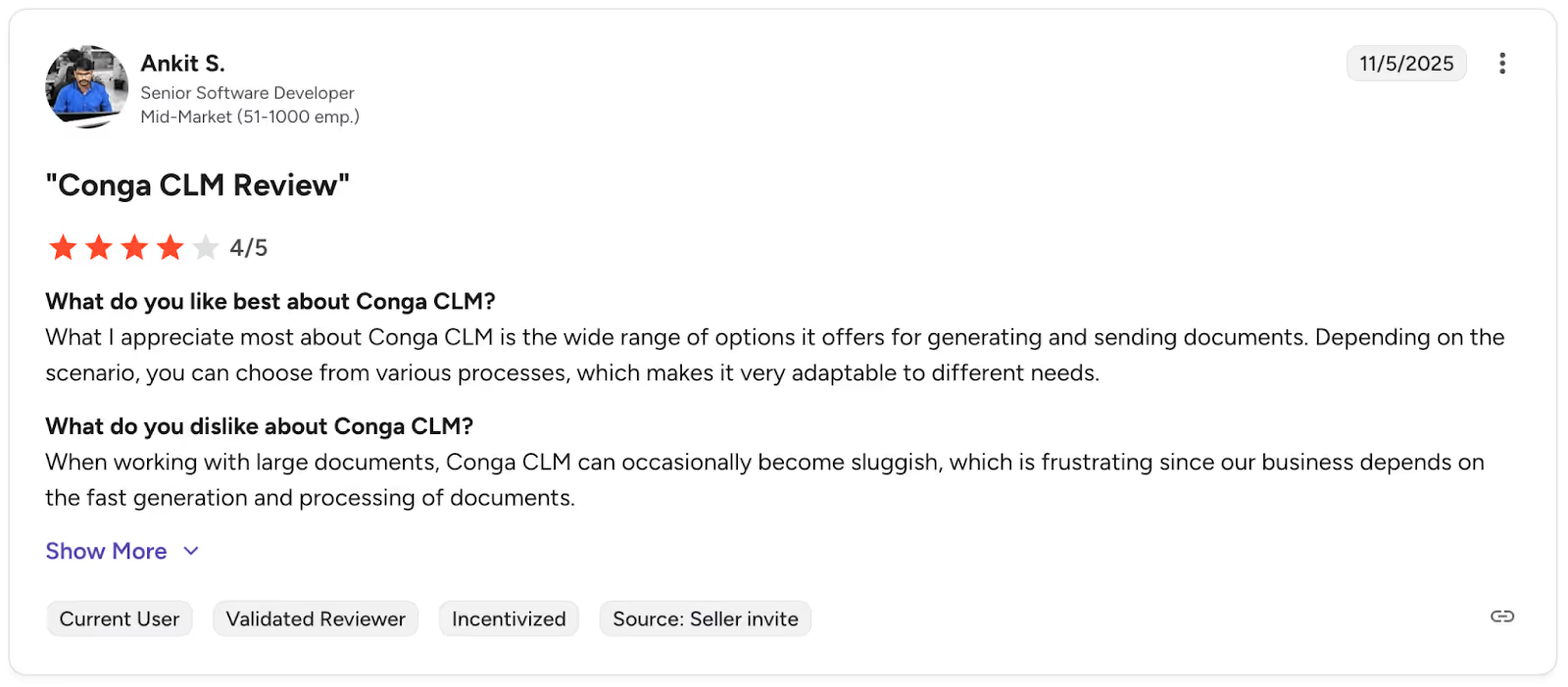
Large enterprises that rely on the Salesforce ecosystem and need to manage complex revenue operations alongside contracts.
Built on the world's most widely used e-signature tool, DocuSign CLM naturally extends the signing experience into document generation and workflows. The logical next step for companies already paying for DocuSign and looking to get their agreements organized and streamline simple approvals.
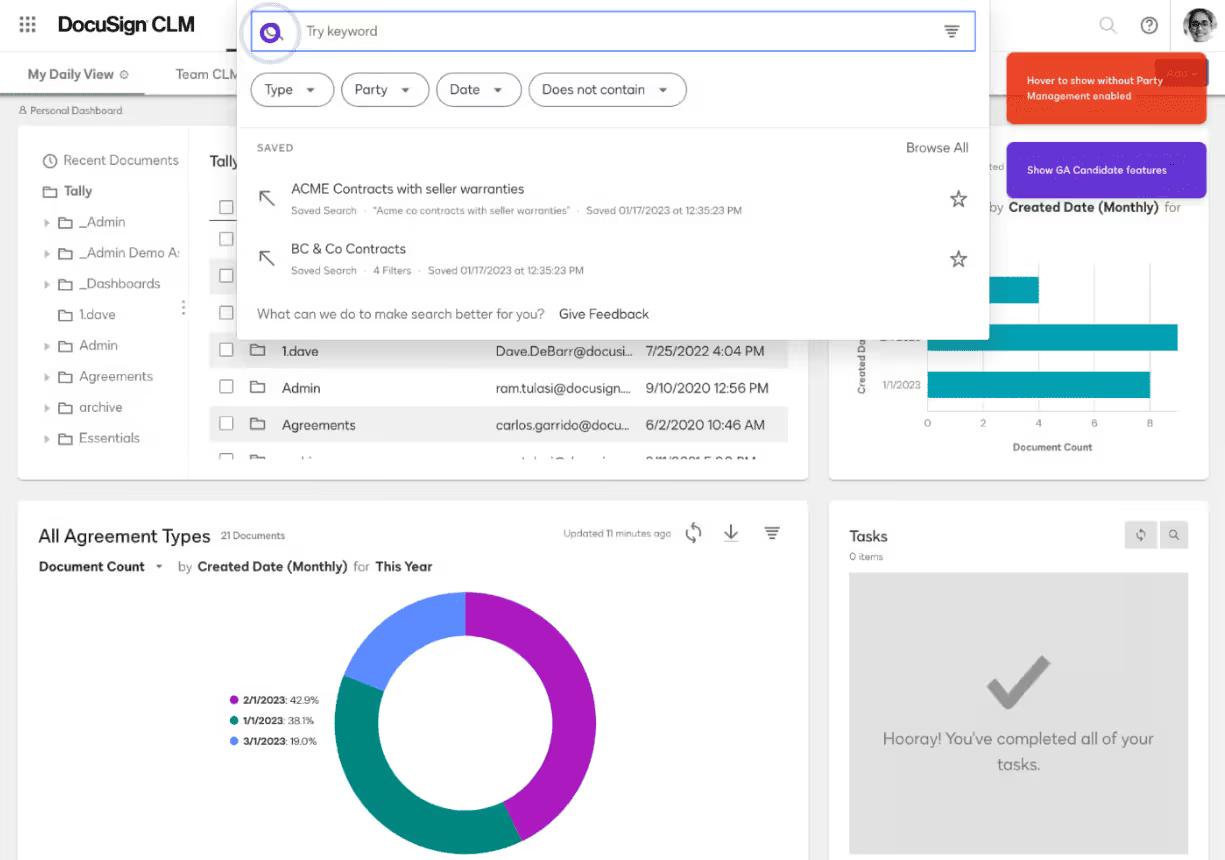
DocuSign CLM offers brand trust and familiarity, providing comfort for existing e-sign users. It features strong security, uptime, and reliability, along with a large third-party integration ecosystem.
However, the experience can feel disjointed since e-sign and CLM may be separate modules, pricing can escalate quickly with per-seat models, and complex implementations often require external partners to assist with setup.

Organizations that have already standardized on DocuSign for signatures and just need to add some lifecycle management functions without starting a vendor relationship.
ContractWorks is dedicated to being the best digital filing cabinet it can. ContractWorks uses AI to tag and categorize contracts uploaded to it, making it very easy to find documents and run reports. ContractWorks isn't a drafting tool; it is a tracking and storage tool.
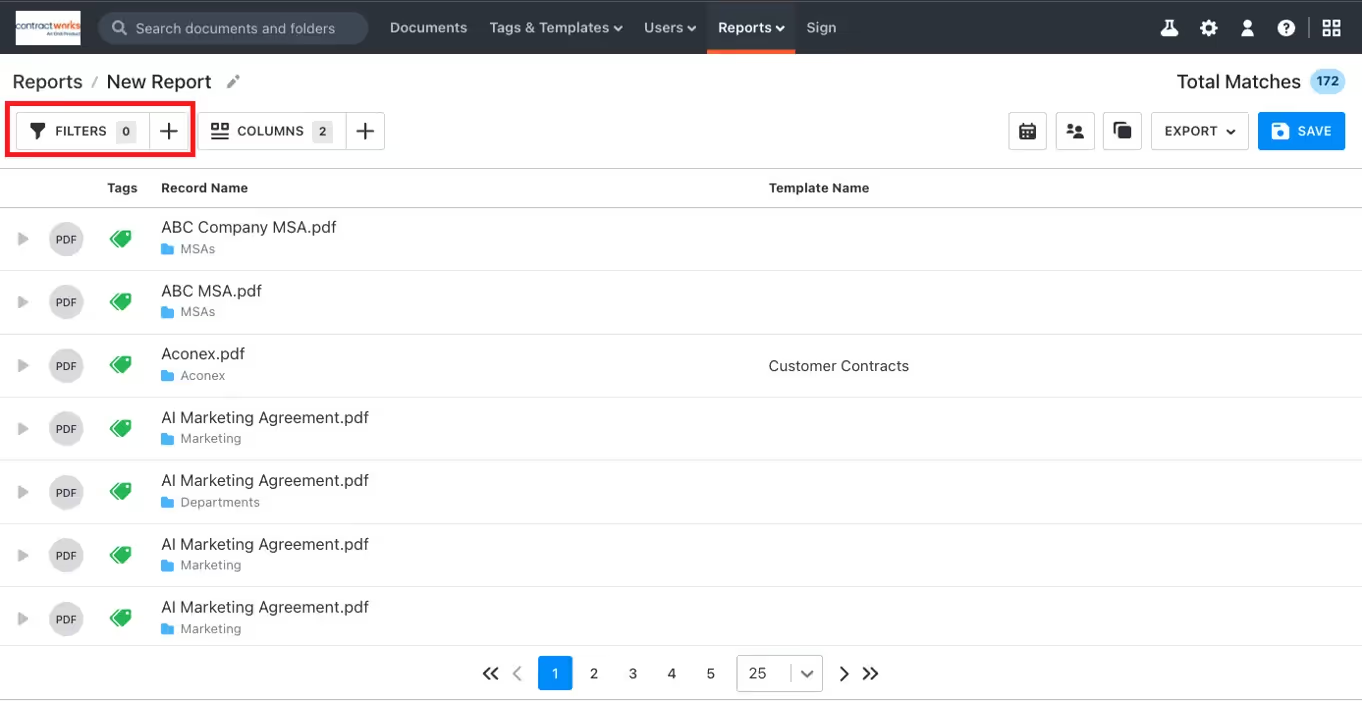
ContractWorks offers extremely fast setup, allowing users to upload and tag documents in days rather than months. The platform features simple pricing with unlimited users and is excellent for quickly organizing legacy contracts.
However, it functions primarily as a repository rather than a contract creation engine, so drafting tools are not included. Additionally, it has limited redlining and contract negotiation features and lacks deep workflow logic for managing complex approvals.

Teams needing a secure repository and audit preparedness quickly, but do not need complex contract drafting automation and workflows.
PandaDoc is a document automation tool built for speed for sales teams. It is great at producing high-quality proposals, quotes, and straightforward commercial agreements that can all be approved and signed in a single click. It combines an easy-to-use document editor with basic CPQ (Configure, Price, Quote) features into a single tool.

PandaDoc can produce interactive documents that enhance the customer experience. However, it is not a true legal CLM, lacking the complex redlining, version control, and compliance tools that legal teams require. PandaDoc excels at increasing sales velocity and providing robust engagement tracking with proposals.
On the downside, its per-seat pricing model can become expensive as sales teams grow, and while the basic price is attractive, many advanced features and key integrations are only available in higher, paid tiers.

Sales teams that need to quickly create, distribute, and present creative, interactive quotes, proposals, and other simple commercial agreements where visual appeal and speed are more important than legal infrastructure complexity.
LinkSquares began as an AI-powered analytics tool to locate and extract data from signed contracts. While it now includes pre-signature drafting capabilities (LinkSquares Create), its main strength remains its post-signature analysis engine. It helps General Counsels answer difficult questions about their contract book.
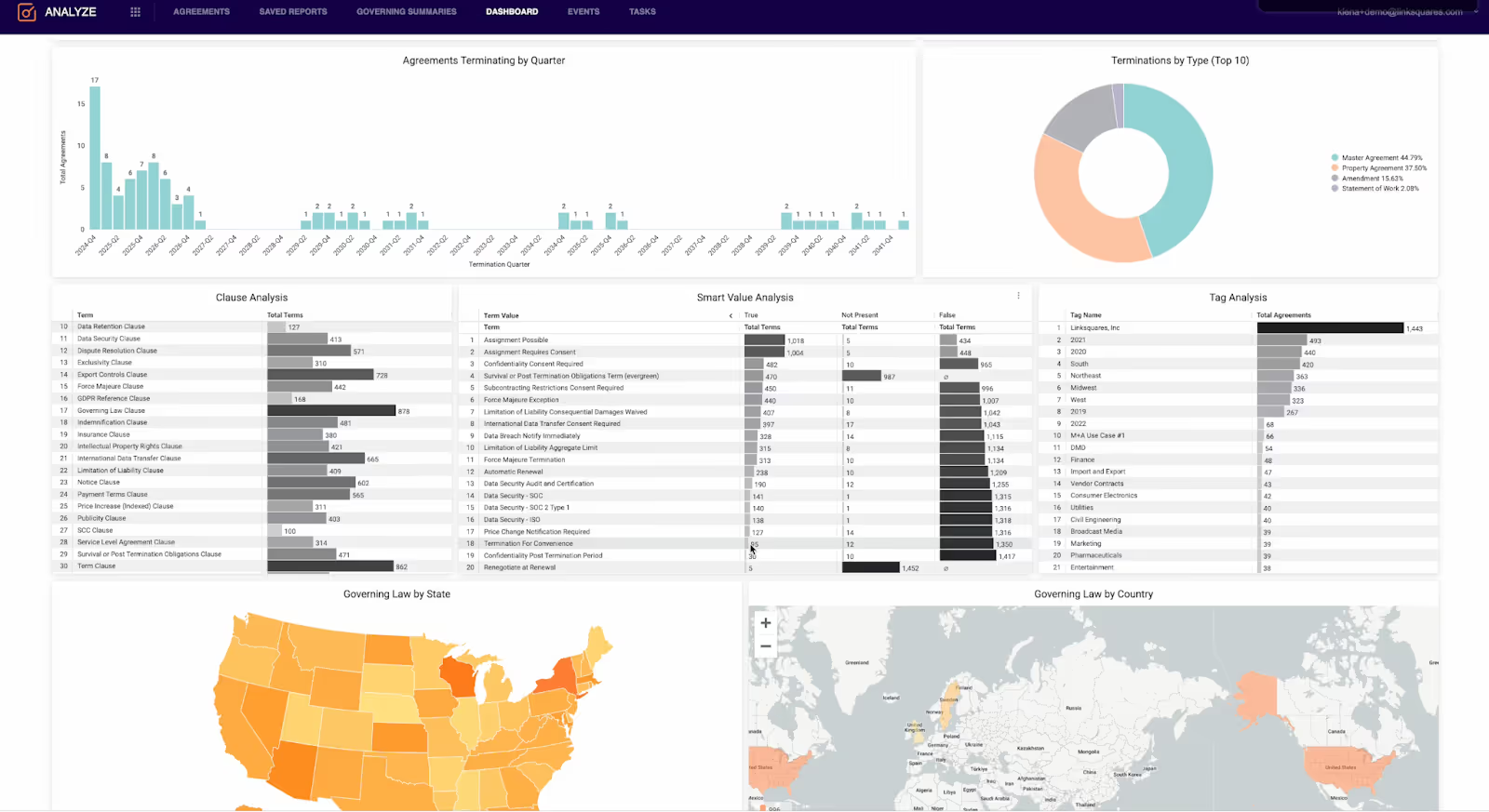
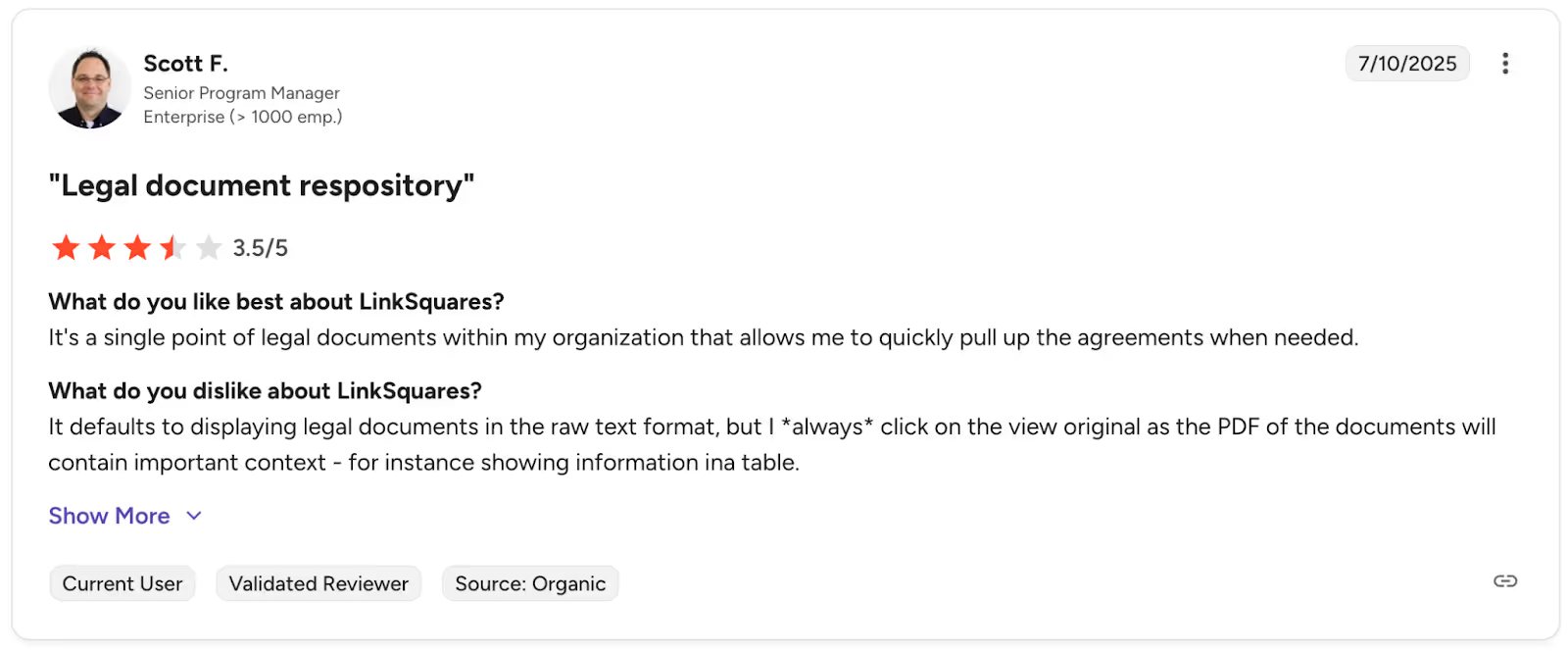
LinkSquares is considered to have one of the best AI engines for extracting data from legacy PDF contracts. It offers strong reporting and analytics capabilities for post-signature management, unlimited storage, and an easy-to-use repository interface.
However, it is an expensive alternative compared to other mid-market tools, with a higher entry point. Its pre-signature drafting and workflow features are less mature and robust than those of competitors. While its AI is strong, it often requires manual verification and clean-up by the legal team.
Mature legal teams in mid-to-large companies need to analyze thousands of legacy contracts to learn historical risk and obligations (post-signature focus).
SpotDraft is a simple-to-use CLM designed for the fast-moving tech industry. Its streamlined appearance and intuitive design encourage high adoption from legal and business teams, especially sales. The product aims to be an all-in-one solution for drafting, negotiating, signing, and managing contracts without the complexity of legacy enterprise platforms.

SpotDraft features a simple, intuitive interface that business users can quickly adopt. Its click-to-accept features help with high-volume, low-touch agreements common in tech. The platform also has a shorter implementation period than enterprise-level products.
However, it can struggle with complex compliance logic and granular permissions needed in highly regulated industries like banking or telecom. Some users have reported performance issues and slowness with very large or complex documents. Customization of reports and workflows may also be limited compared to richer platforms.

Fast-growing tech and mid-market companies that need modern, functional speed and simplicity from a CLM, and are willing to forego some enterprise-grade complexity to get there.
When selecting contract management software, your choice can have far-reaching implications for organizational efficiency, risk, and profitability. Many contract management applications may offer the same features in name, but they differ fundamentally based on architecture. Legacy, document-first solutions manage your digital papers, while contemporary, data-first platforms unlock the data intelligence in your contracts.
If you want a digital filing cabinet, a repository-focused solution will suffice. If you want to move beyond storage and manage your contracts as strategic, data-rich assets, a data-first solution is the only option. Once your contracts are structured as data, a data-first, compliance-based solution can automate compliance, reduce manual work, and build a scalable, self-driving contract workflow with real contract intelligence.
If this sounds like the solution your organization needs and you are ready to move from legal chaos to clarity while addressing compliance, give Avokaado a try. See for yourself how its contract intelligence nature turns contracts into structured, queryable data while maintaining the compliance and control your legal teams require.
Sign up for a demo and experience how a data-first approach to contract management streamlines workflows and extracts intelligence from your contracts.
See how Avokaado replaces chaos with clarity by automating manual work, cutting delays, and giving you full visibility across every document.
Book a demo
