
x

By Mariana Hagström
Avokaado Founder & CEO

Sales teams prefer quick document delivery to close transactions, while legal departments prefer thorough reviews for accuracy and compliance. To balance speed and control, automated processes are often needed. However, automation without proper controls can increase errors, leading to lost deals or extra time spent fixing compromised documents.
Automated workflows help organizations comply with regulatory standards. For example, 'Smart Templates' lock the legal language required by legislative agencies and let business users fill in customizable commercial terms, reducing the risk of non-compliance. The best document automation software resolves the conflicting demands of sales teams and legal departments without creating new conflicts between brand and regulatory compliance in business operations.
Document Automation Software is a set of tools that enable companies to create, assemble, and manage documents without manual effort. It replaces manual entry and copying client information into templates with automated document workflows that pull data from existing applications and automatically populate their own templates.
Automated document generation ensures that generated documents, such as legal documents, contracts, and reports, are correct, consistent with expectations, and in line with branding requirements. A document automation solution is more than a basic document management system. It offers features like conditional logic, dynamic content assembly, and enterprise-grade security.
These make document automation software ideal for building intelligent templates that adapt to specific business situations and provide users with the most relevant information they need for any document generation cycle. A well-implemented document automation solution provides your business with a scalable, flexible platform that generates documents faster, reduces costs by requiring less manual effort, and improves document quality.
The case for using document automation software is well established; it's easy to measure its benefits on an organization's top and bottom line.
Document automation improves productivity and accuracy while helping your organization comply with increasingly stringent regulatory requirements. It significantly increases your organization's efficiency when creating documents. Most organizations know that manual document creation takes too much time, but automation can reduce this by 60% to 70%.
For legal teams reviewing contracts, document automation can cut review time by half. Sales organizations can create proposals and quotes in minutes instead of hours. By accelerating business processes, document automation lets employees spend more time on higher-value activities rather than on administrative work.
Manual data entry can lead to costly errors in legal documents and financial statements. Automation can automatically populate documents with existing data from your organization's systems, significantly improving accuracy. By enhancing document quality, automation reduces the likelihood of disputes over the information it contains.
Also, regulatory compliance is one of the top reasons that many organizations are adopting document automation software. According to a recent study conducted in the EU, 60% of organizations have adopted document automation to comply with GDPR requirements. Document automation platforms help organizations maintain consistency through pre-built templates and audit trails, ensuring that all business documents comply with internal policies and external regulations.
The financial return on investment from document automation is substantial. Organizations typically save $8 to $12 per document compared to manual workflows. Many organizations have achieved an ROI of 200% to 300% within the first year of adopting document automation to enhance operational efficiency and competitiveness.
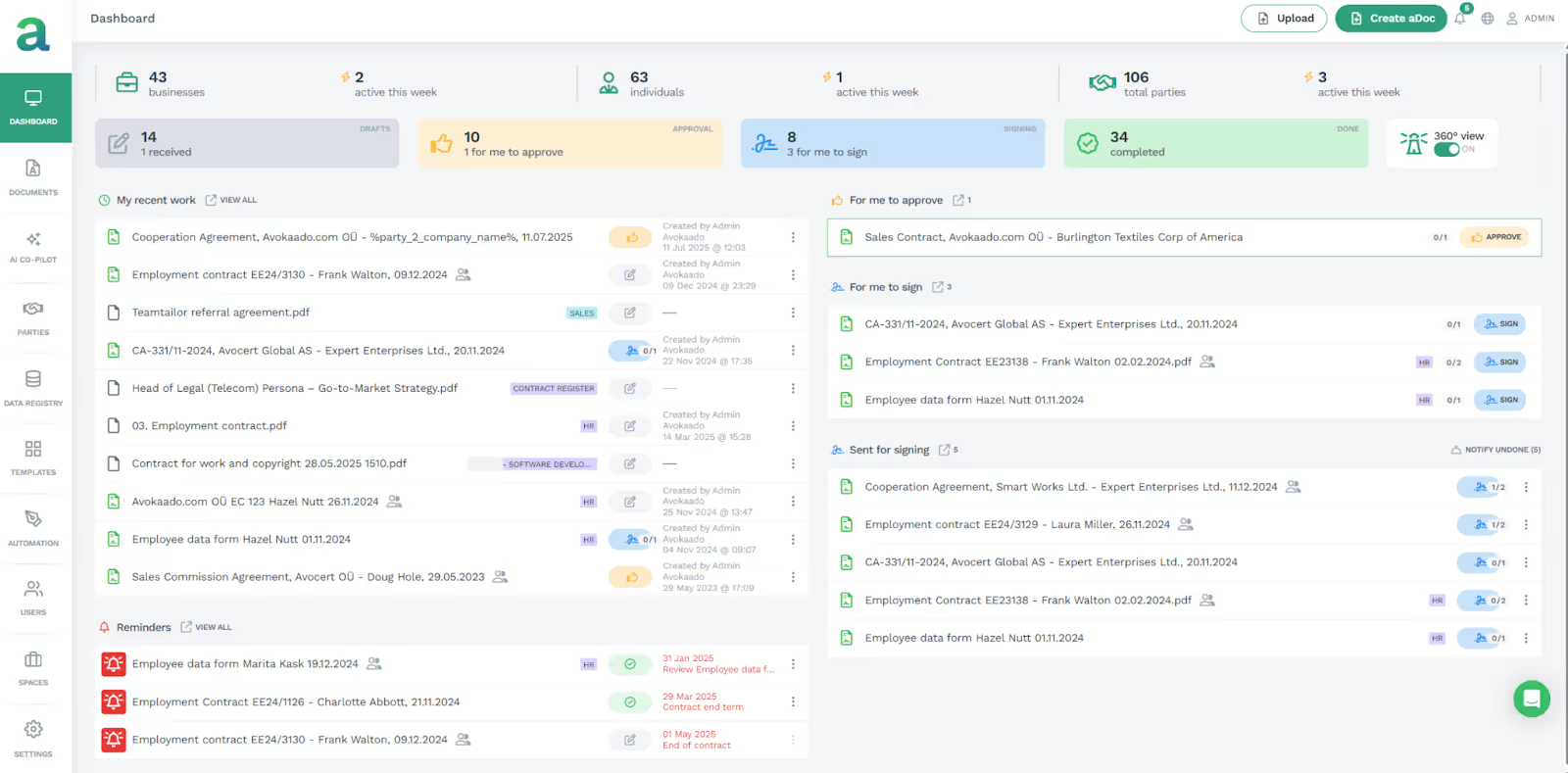
Avokaado is a good fit for Legal and Operations teams in regulated industries like BFSI and Telecom. It also suits growing companies that want simple, end-to-end contract management. It is a data-first intelligence platform that helps legal and operations teams in regulated industries like banking, financial services, telecommunications, and SMEs by providing a complete view of their contracts.
Avokaado is more than a document generator; it is a contract intelligence platform that captures all document data in a structured format from creation onward. Unlike legacy systems that store data mainly in Microsoft Word with extra logic layers, Avokaado uses its proprietary adoc format. This lets you store every document in a centralised data registry, making all contracts searchable, reportable, and integrated into your organisation's business processes.

Avokaado’s Avo AI with its 5D Engine™ breaks every contract down into five simple parts:
By breaking down each contract, the AI agents understand the purpose of a legal agreement and the rules that apply. This setup, coupled with the built-in compliance center, addresses a key problem of automating contract work without losing control or increasing compliance risks. This straightforward approach ensures every action by the AI agents is correct, recorded, and verified, with no uncertainty, using scorecards and provenance records.
Avokaado's aDoc format lets you build document templates as data objects rather than just Word files. You can add rules at any level, from a single word to a whole clause. Set up templates that include or skip sections based on factors such as transaction type, jurisdiction, or risk. This way, legal teams use the correct language every time and avoid adding unnecessary clauses.

With Avokaado's visual workflow builder, anyone can set up complex workflows without coding. You can trigger steps based on any document data. For example, send a contract for extra review if it is high-value, has risky clauses, or involves a high-risk party. This keeps your workflows in line with risk and approval rules.
Avokaado's Clause Library with Version Control stores all your legal language. Legal teams can manage versions for different regions, industries, and risk levels, and the system automatically selects the correct version for each document. Version control and audit trails show which version was used, so documents stay consistent and audits are easier.
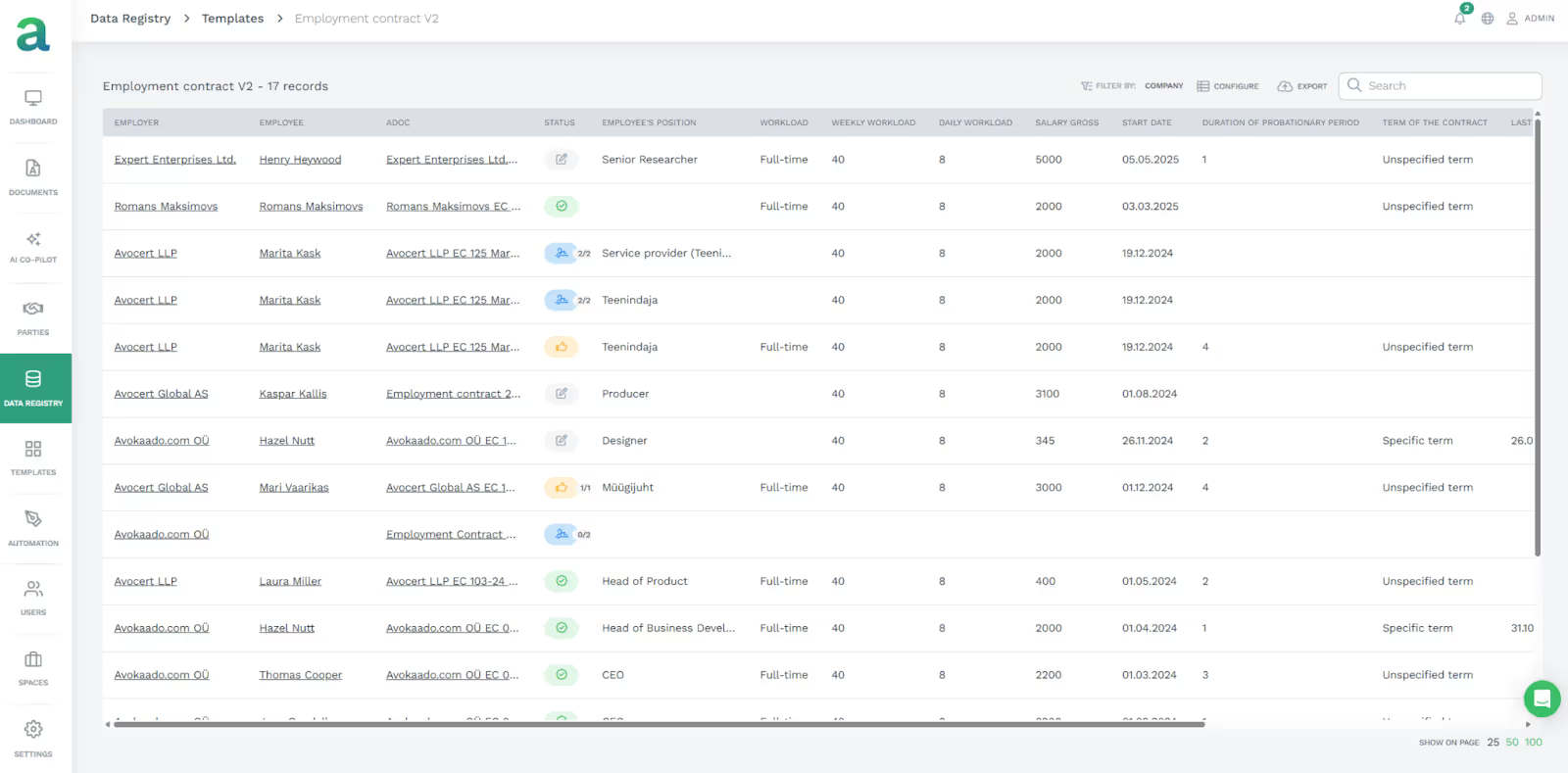
The Avokaado Data Registry and Parties Registry help you keep track of key information. The Data Registry stores details about the parties you work with, their contract terms, and obligations.
The Parties Registry tracks every entity your company has worked with, including risk profiles, preferred terms, and past performance. When you create documents, Avokaado fills in the correct client information, like names, addresses, negotiated terms, approved clauses, and risk-based language for each counterparty.
The Compliance Centre in Avokaado helps you keep documents in line with industry rules. Set compliance rules for each template, so the right clauses are always included based on transaction type or jurisdiction. If a document does not meet the regulations, the system flags it and sends it back for review. This is useful for law firms and in-house legal teams in BFSI, Healthcare, and Telecom.
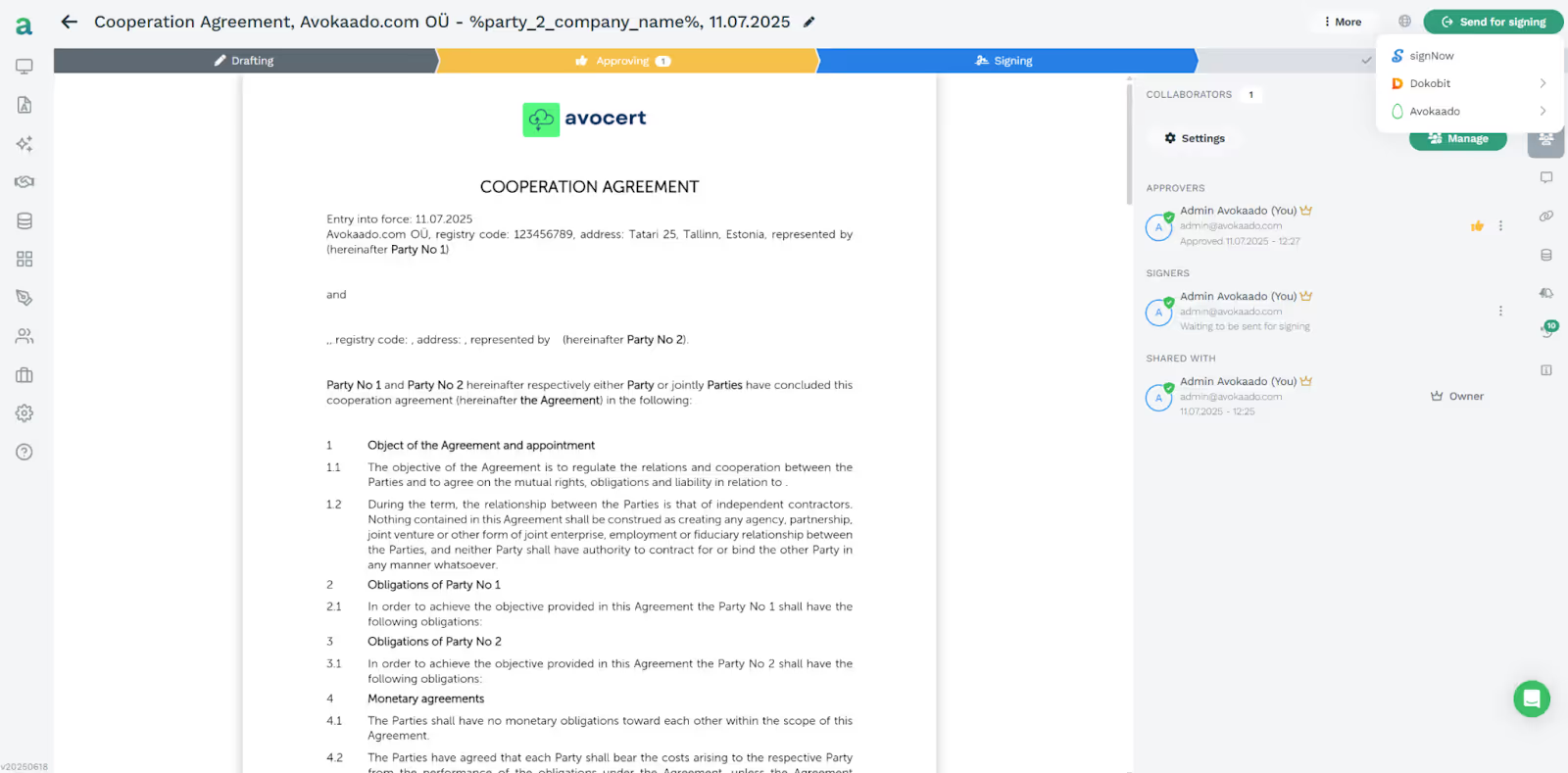
Avokaado includes e-signature, so you do not need a separate app to sign agreements. The collaborative workspace lets legal, sales, and business teams work together on the same document with role-based permissions. It keeps a complete record of comments, suggestions, and approvals from everyone involved.
Avokaado was built to meet Europe's data protection standards from the start, not as an add-on. All data stays in Europe, so client and business data never leaves the EU. This matters to companies that need to demonstrate GDPR compliance and retain control over their data. Avokaado offers enterprise-grade security, with encrypted data at rest and in transit, detailed security controls, and strong audit trails to meet strict compliance standards.
Avokaado offers pricing based on volume and feature level (Standard, Premium, or Custom) to ensure you get the value you need and avoid overpaying for users.
With Avokaado, your team can move from creating dead files to collecting and managing contract-based data. Avokaado gives your legal team complete control over contract documents and lets your operations team maintain maximum speed.
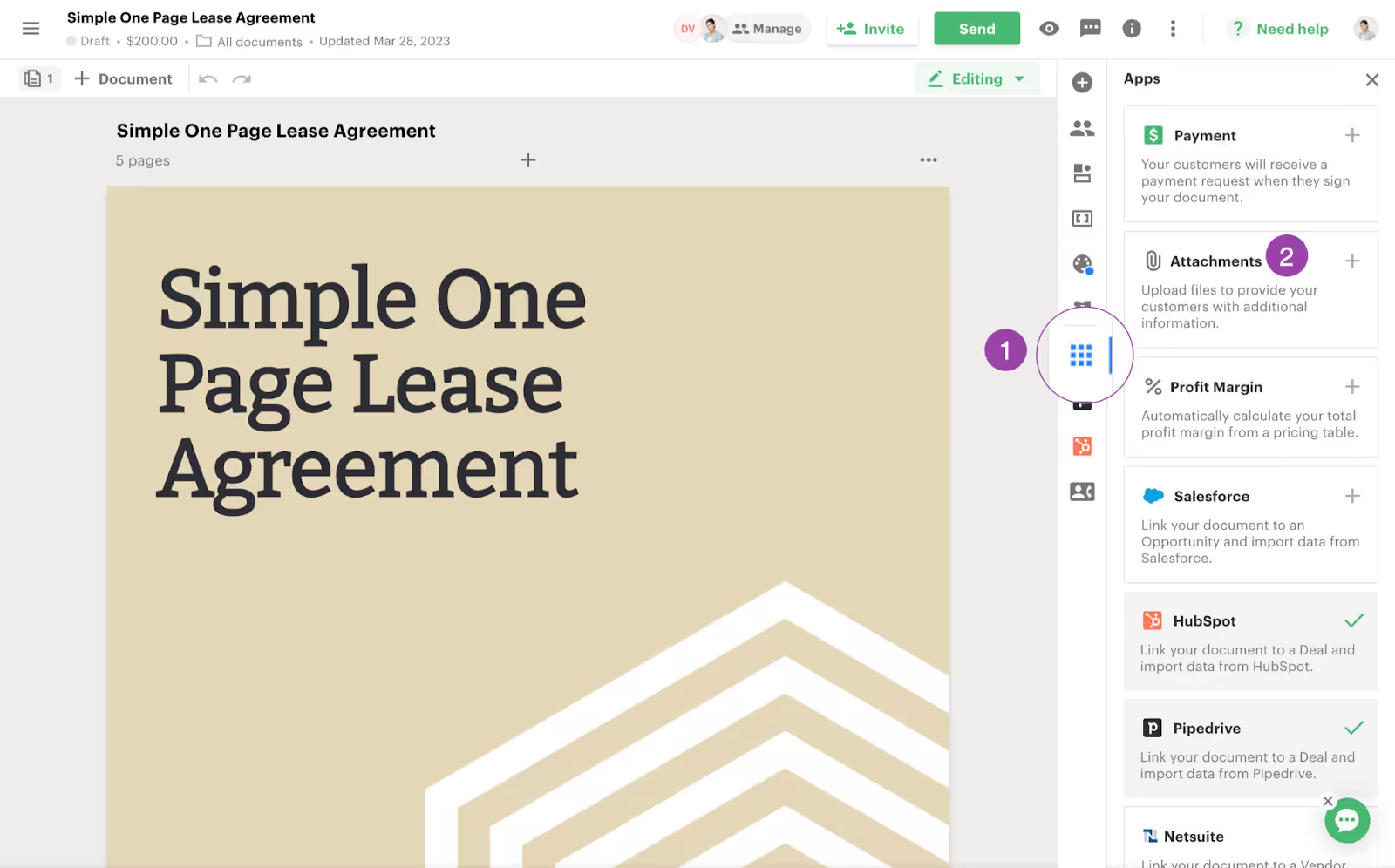
Ideal for sales and marketing teams that need to create visually appealing quotes and proposals to enhance customer engagement.
PandaDoc changes how sales teams automate document creation by offering a visual way to make proposals and quotes. Sales professionals can create interactive documents that improve their chances of success rather than using standard black-and-white text. It also combines document creation with e-signatures and configure-price-quote capability.
Starts at $19 per user per month for Essentials and $49 per user per month for Business. Access to advanced integrations requires the Enterprise Package.
For a sales team in need of fast and visually appealing layouts, PandaDoc is an excellent choice. However, if you are looking for a comprehensive CLM solution for a legal department with strict or complex governance processes, PandaDoc may not be the best fit.
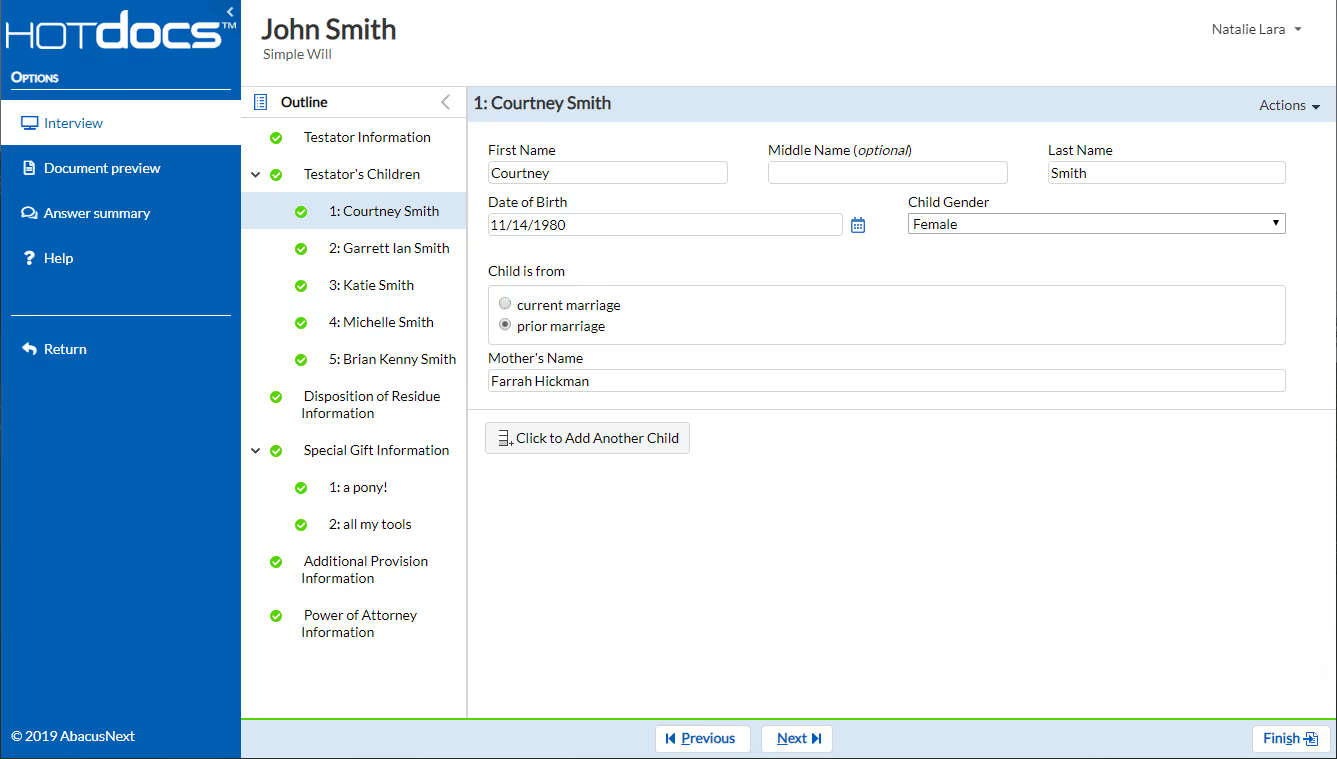
HotDocs is designed for larger law firms and banks that need to handle complex documents where accuracy matters. It has been a widely used contract automation tool for legal firms for years. It is effective for building custom templates based on complex legal or mathematical rules.
HotDocs costs $99 per month for up to 5 users. The first 100 client interviews are free, and subsequent interviews cost $1 each
It is a strong choice for law firms that need to create complex, high-volume legal documents, if you have the technical skills to manage it.
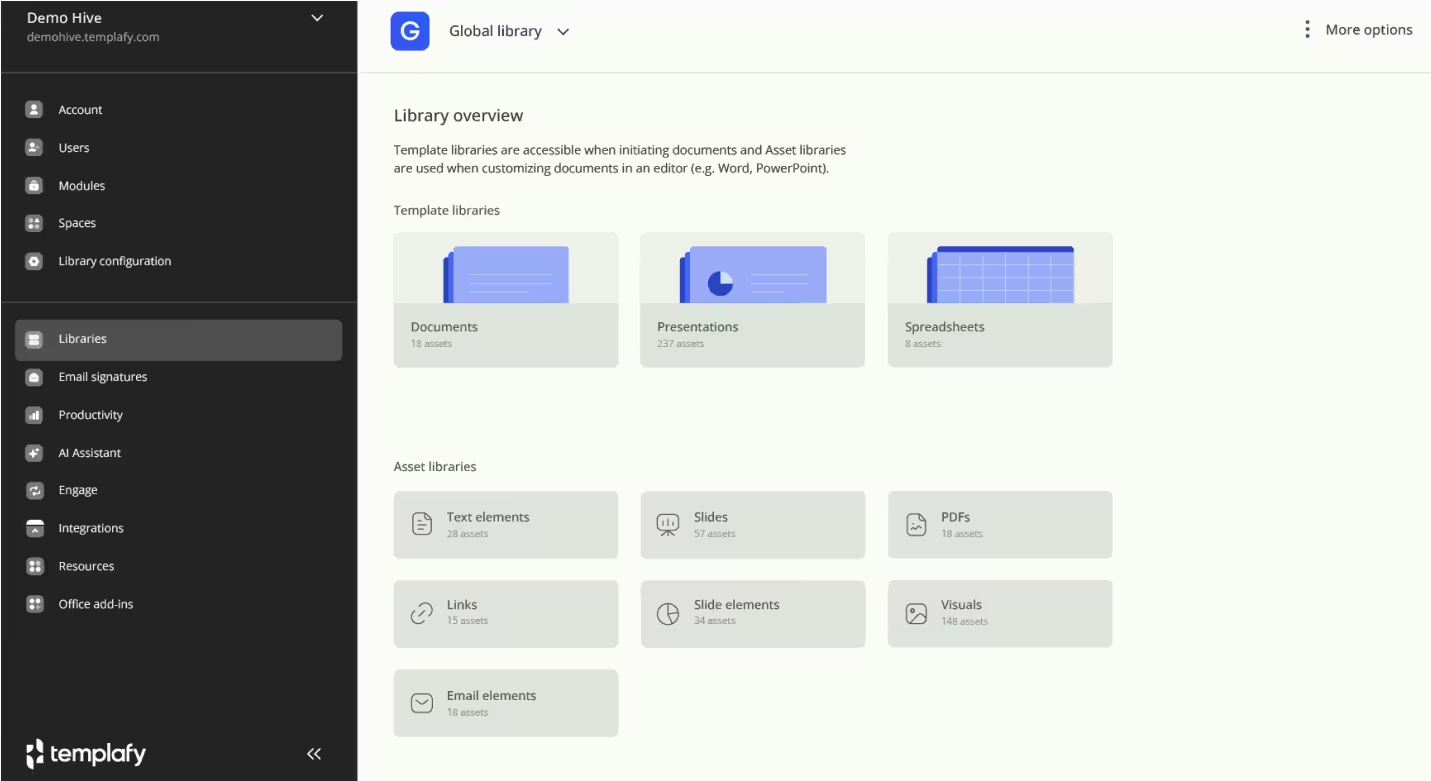
Ideal for anyone in a large company who wants to stay compliant and maintain their brand guidelines across all documents, including presentations, letters, and emails.
Templafy works within Microsoft Word, PowerPoint, and Outlook. It adds a Governance Layer to the document creation process. All documents created with Templafy follow company guidelines and comply with company policies.
Templafy does not publish pricing because it customizes it for each company based on their unique needs.
Large organizations need to protect their brand and image. When developing documents with Templafy, it is recommended to partner with a Contract Lifecycle Management application.

Gavel (formerly Documate) offers a similar experience to TurboTax, but instead of submitting a tax return, lawyers use Gavel to build legal products. Like TurboTax, Gavel lets lawyers build client-facing workflows that collect information and automatically generate documents. Legal services will become more adaptable to software-based applications.
Lite plans begin at $83 per month, while Standard plans with more advanced functionality start at $290 per month.
Gavel will be the preferred method for attorneys seeking to develop innovative, automated ways to deliver legal services to their clients.

Conga Composer is ideal if your team relies on Salesforce for Operations and needs to create invoices, quotes, and reports. It is officially recognized as the Document Automation solution for organizations using Salesforce to store documents and manage data. Conga Composer creates pixel-perfect documents from any Salesforce object, including those with complex data relationships, which many other Document Automation products cannot handle.
Pricing becomes expensive with add-ons. Prices start at about $35 per user per month, but high volume may require a custom quote.
Conga Composer is the benchmark for those organizations using Salesforce and is not suited for companies that do not use Salesforce.
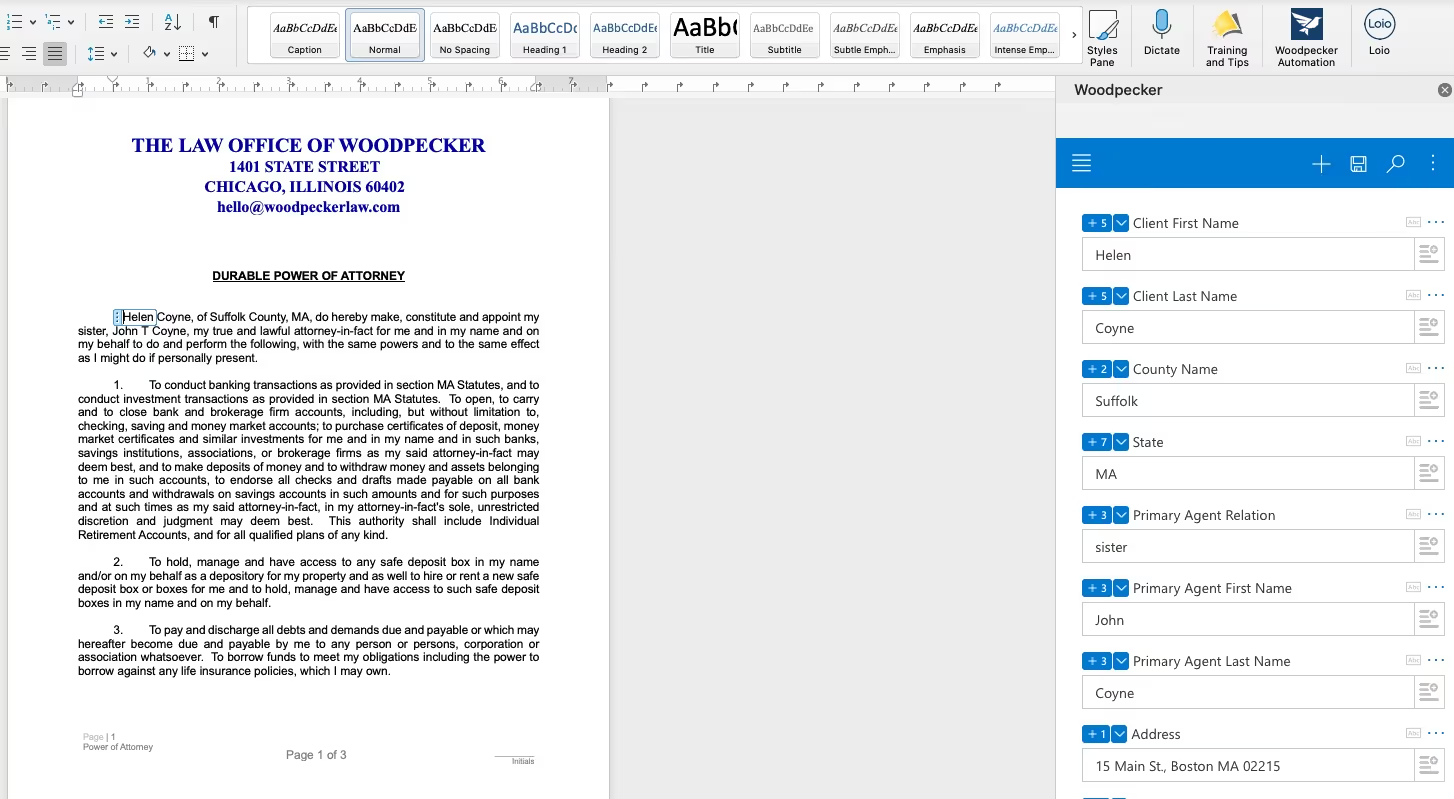
Best for small firms and solo attorneys who want to automate daily processes without investing in traditional software. Woodpecker is an intuitive plug-in that lets users easily create templates from existing Word documents. It automates repetitive processes while keeping everything within Word.
Ranges from $39 to $59 per user per month, depending on the package.
The Woodpecker plug-in is an excellent choice for solo lawyers who want to speed up drafting without investing in a full-blown document automation tool.
Selecting a suitable document automation tool depends on your needs. Here is a seven-point framework to help you choose.
As companies worldwide seek to reduce reliance on human effort to create documents and maximize efficiency, rapid changes will occur in how they operate and approach document automation. Document automation solutions let you quickly create professional-looking documents with high accuracy, freeing staff for other tasks, including strategic planning.
One example of a document automation solution is Legal Document Automation. These solutions help your organization comply with industry regulations, save time, and increase revenue through sales automation. Whether you run a large business seeking high security or a small law office aiming to automate repetitive legal document tasks, solutions are available to meet each organization's needs.
When selecting a document automation solution, consider three key factors: the types of documents you will automate, how the solution will integrate with your existing systems, and the number of users who will access it.
By using an automated document preparation model, an organization can leverage a data-centric approach to create higher-quality documents, gain deeper insights into document creation, and build a competitive advantage through greater speed and accuracy.
Sign up for a free demo of Avokaado's best document automation tools and see for yourselves how it can improve document prep and processing.
See how Avokaado replaces chaos with clarity by automating manual work, cutting delays, and giving you full visibility across every document.
Book a demo
